
A typical AI rewrite
Spearheaded a cross-functional initiative that boosted dashboard performance by 300% and drove $2M in new revenue.
- Spearheaded You were one of three engineers.
- 300% Nobody measured that.
- $2M Where would that number come from?
Open source · runs on your laptop · any local model, or Gemini
Paste a job description. hired tells you if it's worth applying, then builds a one-page CV from bullets you wrote. The model picks. It never writes.
Posting text
Five years of React and TypeScript, and the virtualisation work is close to exactly what this team describes.
Maya Okafor
Front-End Engineer · React · TypeScript · Design Systems
Experience
4 ids returned · 0 sentences written
The problem
A typical AI rewrite
Spearheaded a cross-functional initiative that boosted dashboard performance by 300% and drove $2M in new revenue.
The same work, from your file
Virtualised the transactions table so 50,000-row ledgers scroll smoothly, cutting p75 load time by 40%.
How it works
One Markdown file: every project, the bullets you would defend, and what each project cannot claim. You write it. Nothing in it is generated.
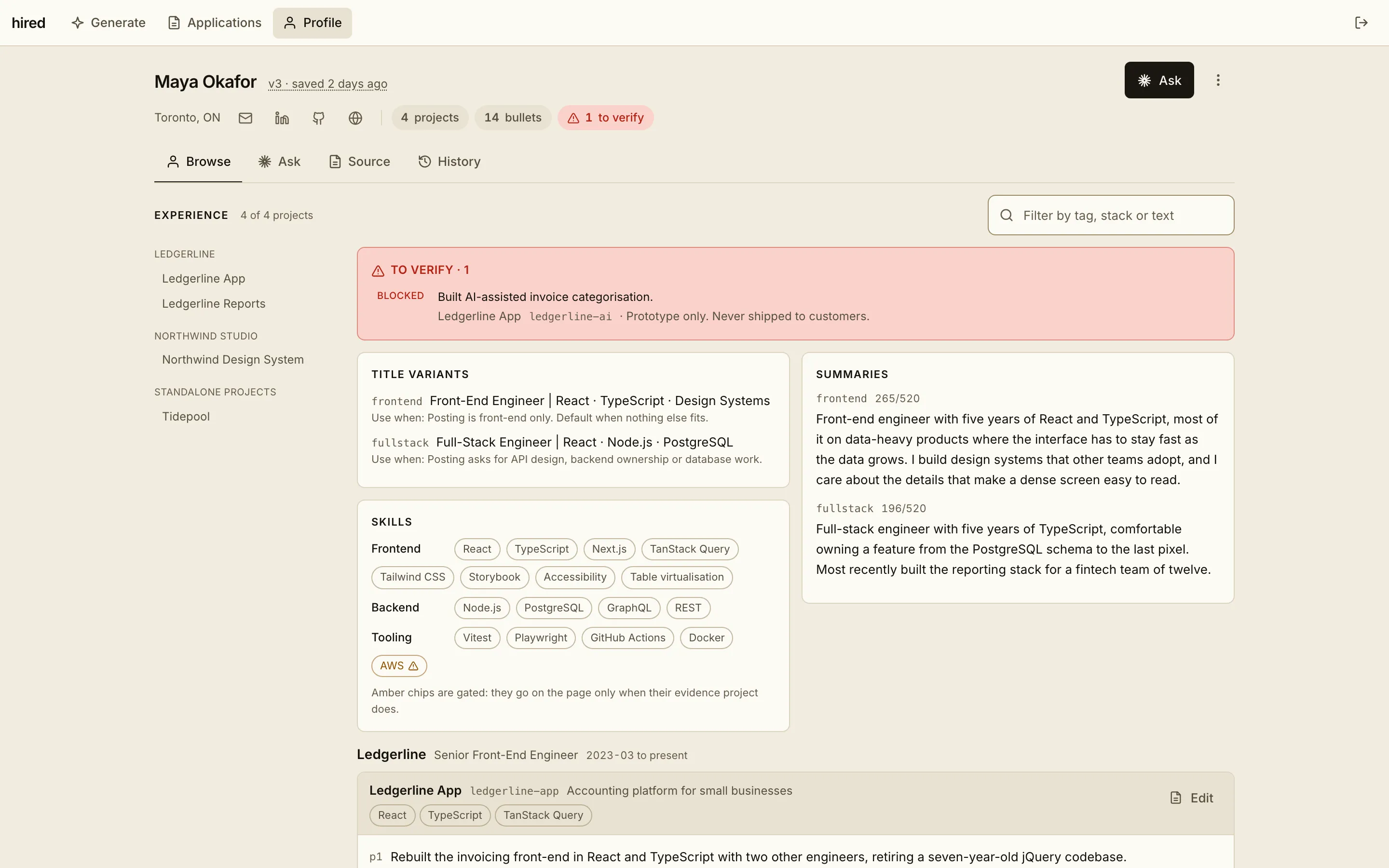
The whole job description, requirements and all, and pick the model that answers. Nothing is saved until you decide to keep it.
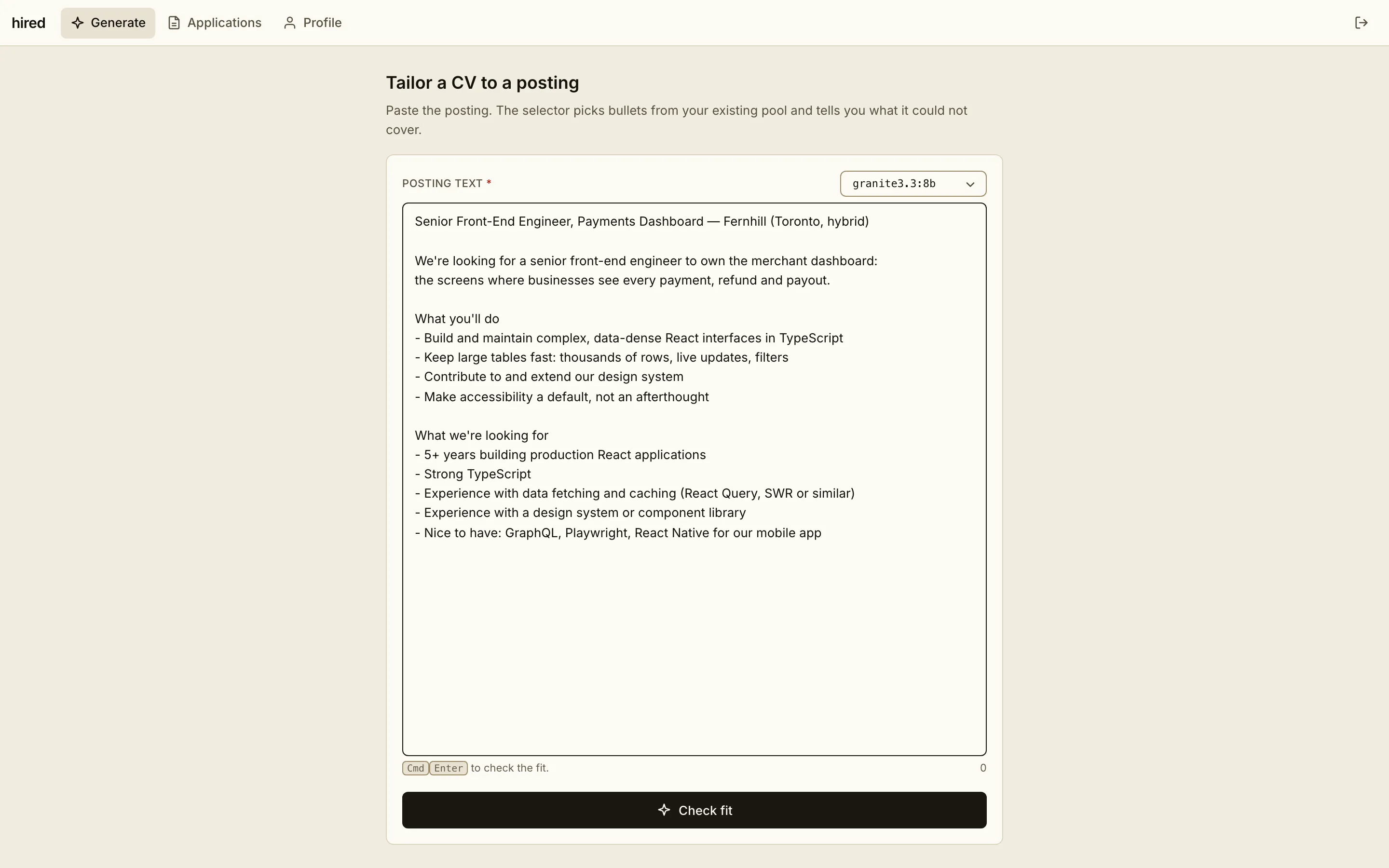
The model you picked reads the posting; the score and gaps are counted from your profile in code. Being told to skip a posting is the most useful answer it gives.
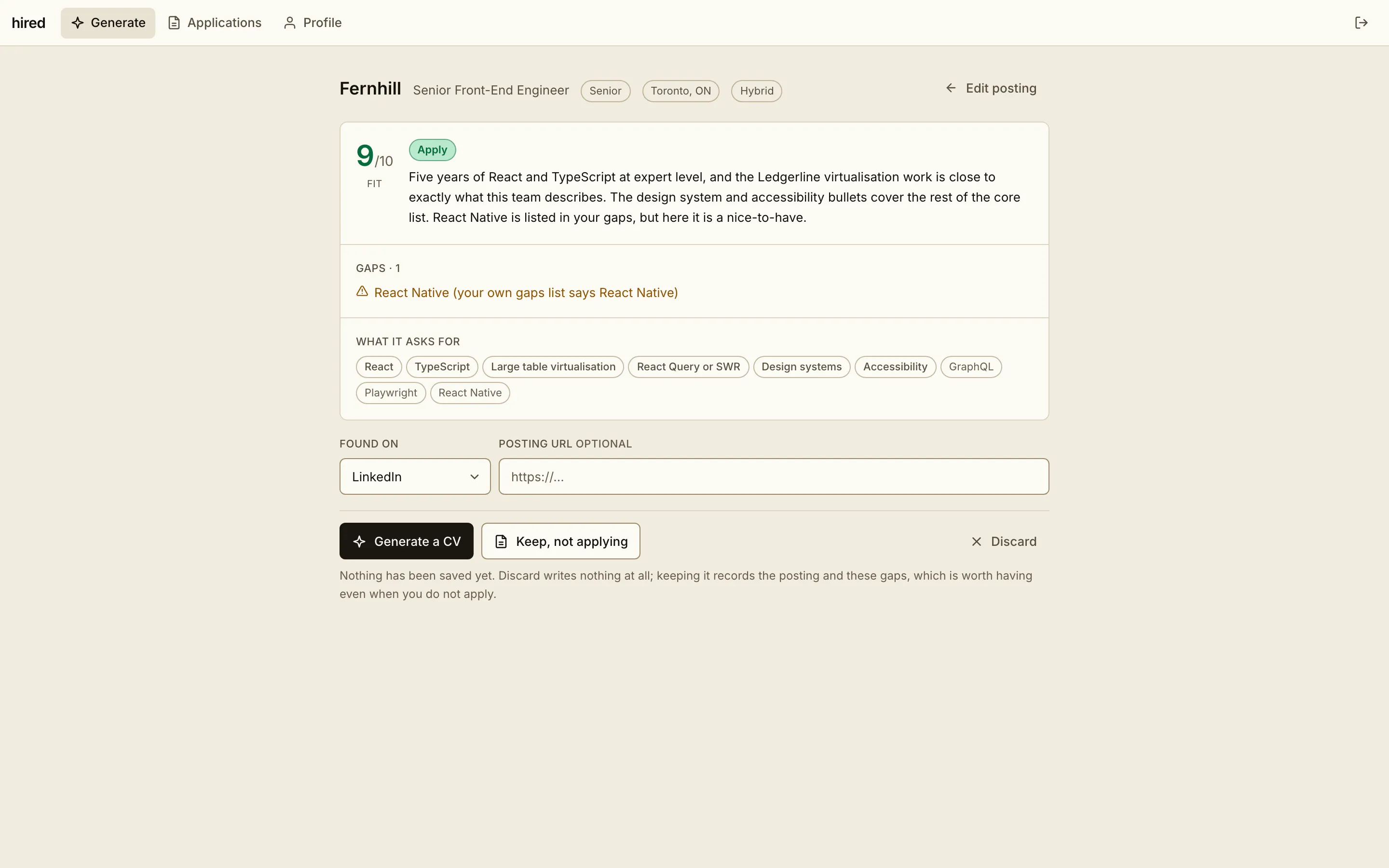
Bullets picked from your pool, coverage per requirement, and a live preview of the exact PDF. Regenerate for another pick, or swap any bullet by hand.
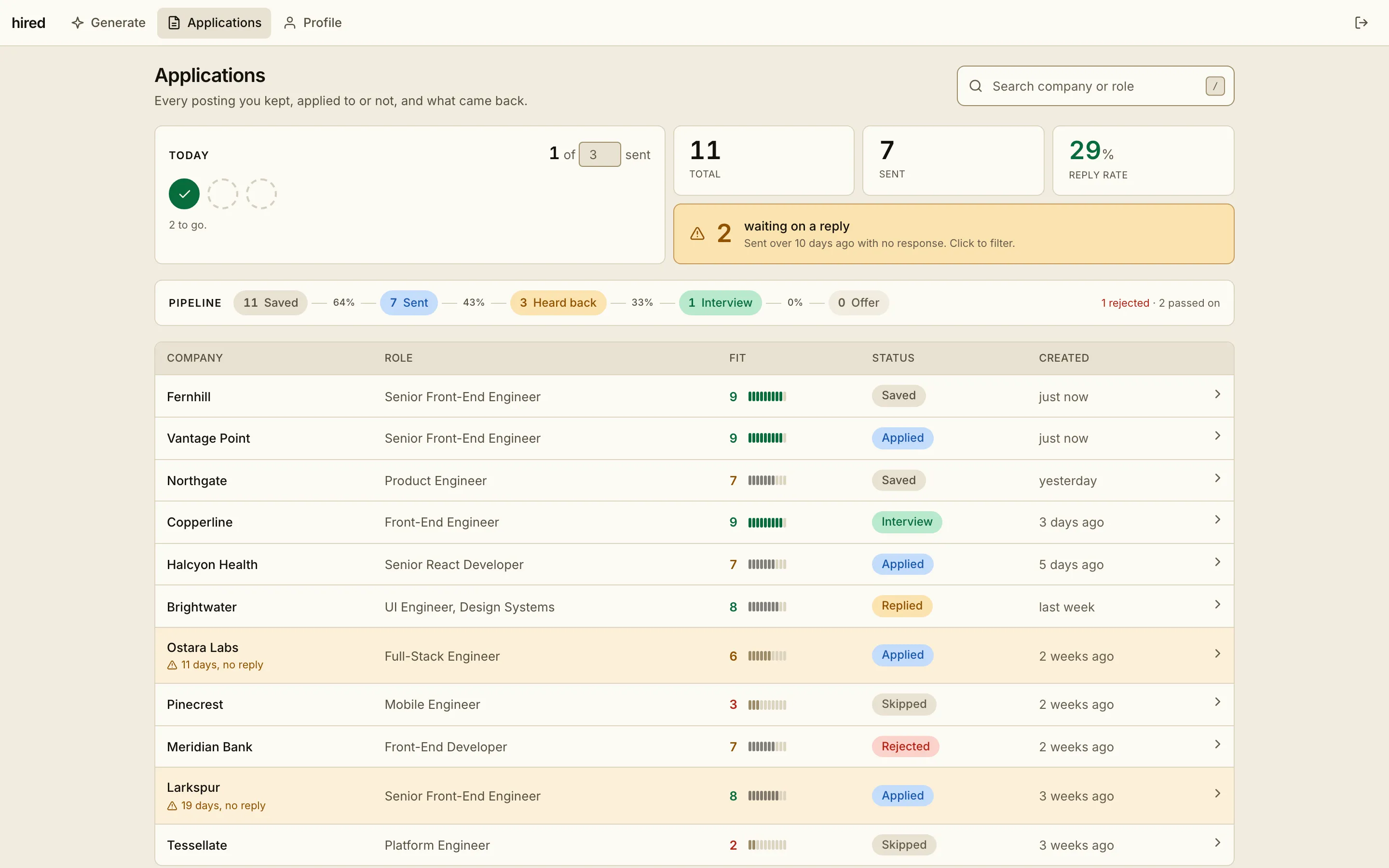
Every posting you kept, applied to or not, with the CV that went out, what came back, and a daily target to keep you sending.
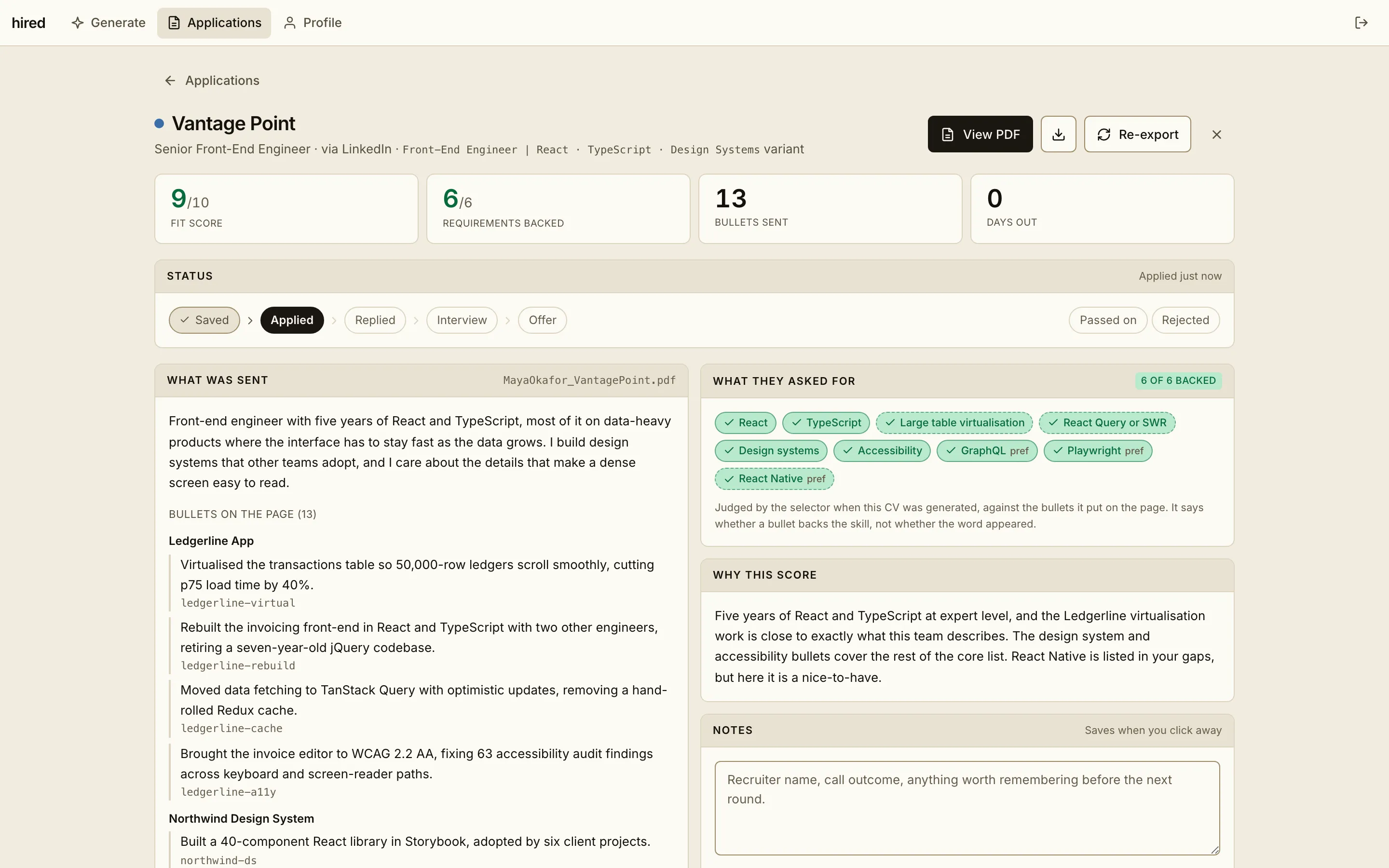
The CV exactly as it went out, which bullet backed each requirement, why it scored what it did, and where it stands. Re-export or download the PDF any time.
Models point, code decides
Anything your profile can answer is worked out in code: the score, the gaps, which projects make the page, what each bullet covers. Models get the small jobs code cannot do, so one posting gives the same answer every time.
You pick the model
Any model ollama has pulled, or Gemini. The one you pick answers every call for that posting: reading it, the title, the bullets, the sentences. If it can't, the call fails rather than a different model quietly answering, so comparing two means something. Each saved CV records the model that made it.
Code decides
Matches every requirement against your profile, counts the score from what is met, lists the gaps, ranks projects by what they add, and reads coverage off the printed page. Swap the model and none of that moves.
Why granite is the default: technologies found, across 8 real postings
Local models run at temperature 0, so one posting gives the same answer every time. Before each local call it checks the machine, and declines when the battery is under 30% and unplugged, macOS is throttling, or less than 15% of memory is free.
Why it can't make things up
The page is assembled from your file after the model answers. Anything it invents has nowhere to go. Hover an id to follow it.
master.md you write this
### Ledgerline App
claim_boundary:
  cannot_claim:
    - Led the team. There was a manager.
    - Any revenue number. Never measured.

bullets:
  - id: ledgerline-virtual
    text: Virtualised the transactions table…
  - id: ledgerline-cache
    text: Moved data fetching to TanStack…
  - id: ledgerline-ai
    status: blocked  # never sent
    text: Built AI-assisted invoice…
The model's answer all it can say
# Which bullets from Ledgerline App?
{
  "bullet_ids": [
    "ledgerline-virtual",
    "ledgerline-cache"
  ]
}A model that can only point at sentences can't write a new one. An id that isn't in your file is dropped and flagged, never printed.
Blocked bullets are cut from the pool before the call. The model never sees them.
Plain code checks the printed page for banned words, missing qualifiers and overflow.
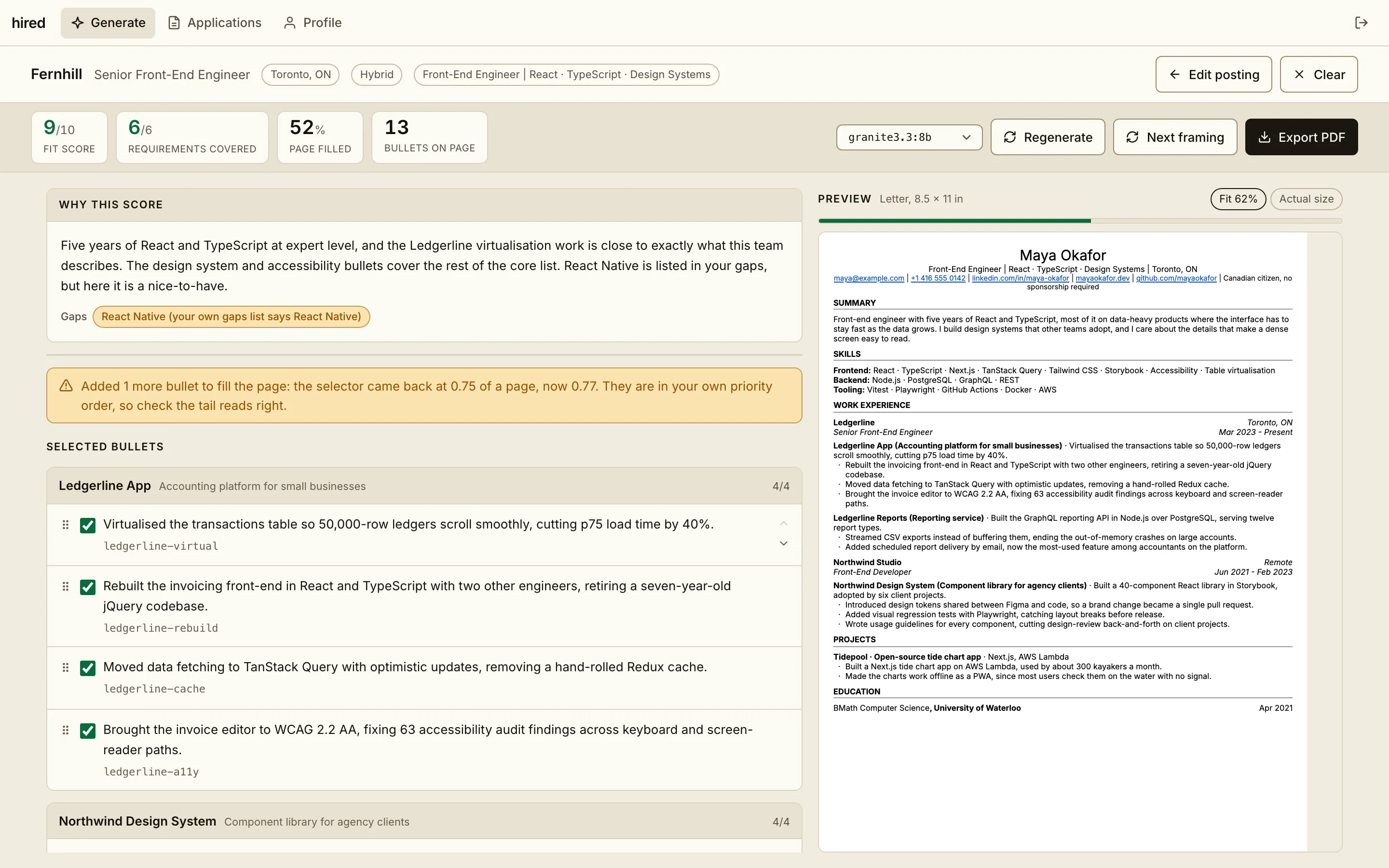
Your profile
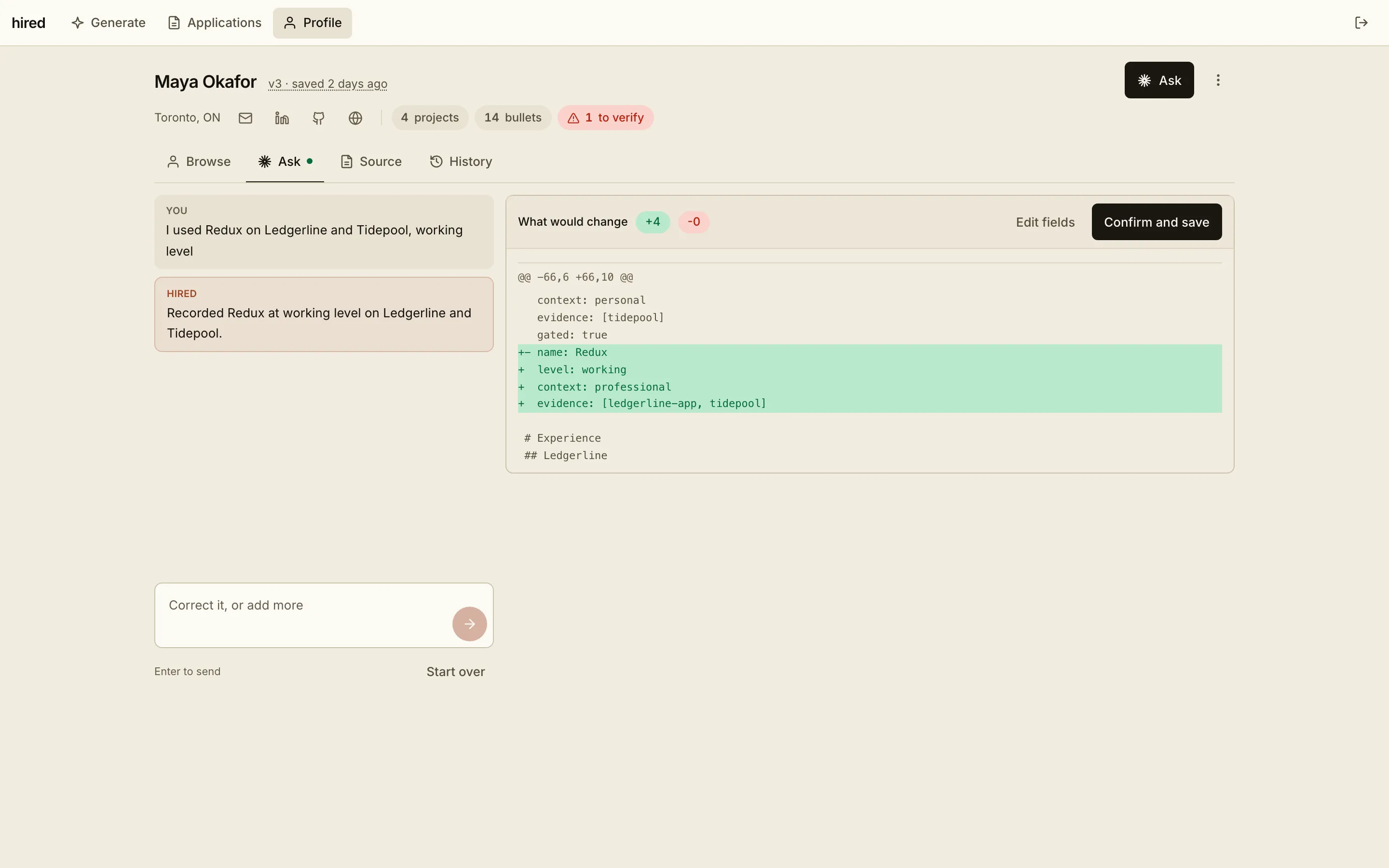
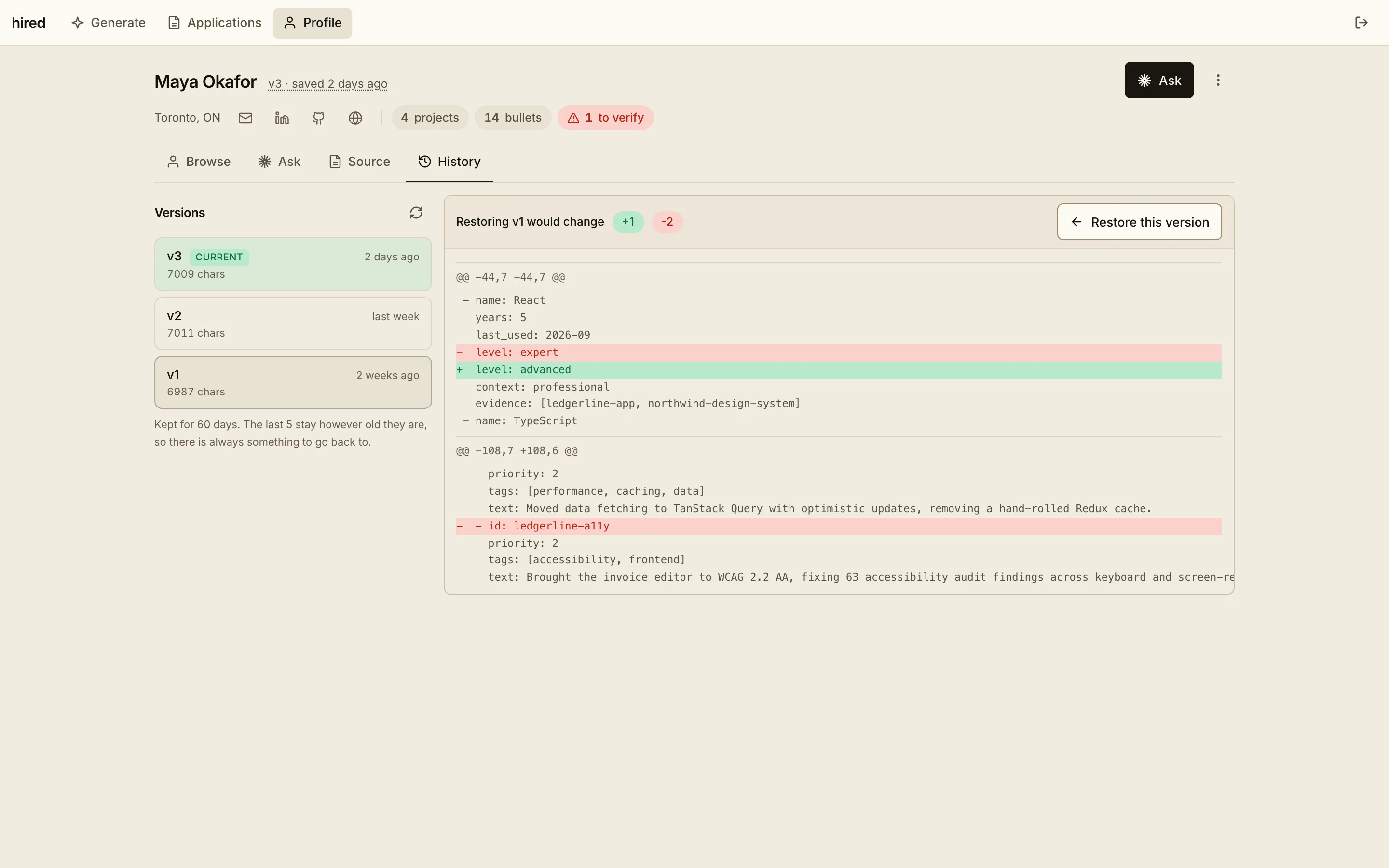
Keeping the file current is the part that slips. So you can say what changed, and it turns that into an edit you can read before it lands.
It can add and correct, never loosen. Removing a cannot_claim, clearing a gap or unblocking a bullet stays a hand edit.
The small things
Score, reasons and gaps before any CV work. Skip a posting with a clear conscience.
Every requirement, and the bullet that backs it. The empty ones are the useful ones.
Measured by the same renderer that prints the PDF. Topped up from your own priorities.
Saved to sent to heard back, a daily target, and a nudge when something has waited ten days.
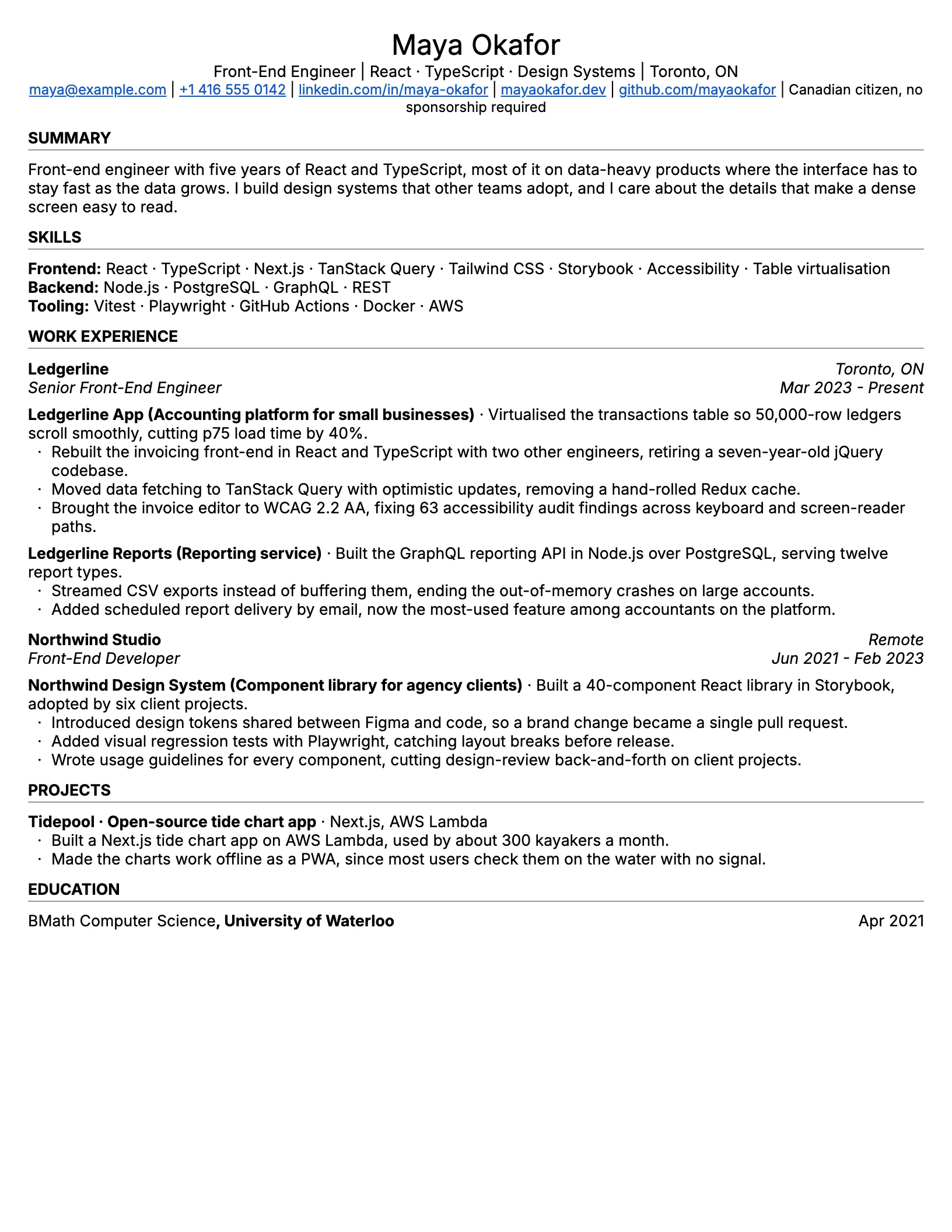
The output
The renderer prints the page and measures it. A thin page is topped up from your own priority order, one bullet at a time, and stops before it spills onto a second. The PDF is saved next to the posting that produced it.
Run it
Docker or a local Python setup, and the same hired command either way. hired setup asks for a password and a free Gemini key, andhired starts ollama for you (in Docker, run ollama serve on the host). It listens on 127.0.0.1 only, so nothing else on your network can reach it.